
Installation
a production build you can keep.
From the unzipped folder to a production build on your computer, with secrets, the owner account and model keys. Hosting it for the public is in Deployment.
01Install and check
- Install Required
npm install - Run the testsServer and web tests (vitest). One league test is skipped until a real Polymarket fixture is recorded.
npm test - Build RequiredType-checks, then builds the web app into
dist/.npm run build
02Settings files
cp .env.example .env
cp arena.config.example.json arena.config.json
The server loads .env on start; values already set in the real environment win. If arena.config.json is missing the server falls back to the example file and logs a warning; GET /api/health shows which file is in use (configSource).
| Secret | Make it with | What it does |
|---|---|---|
ADMIN_SECRET_KEY Required | openssl rand -hex 32 | Turns on the console at /admin and encrypts the keys entered there. |
PIT_SECRET Required | openssl rand -base64 32 | Signs viewer sessions and encrypts members' webhook secrets. Keep it stable. |
OPERATOR_TOKEN | openssl rand -hex 32 | Password of the runner tab (real-money season). Can also be generated in the console. |
PUBLIC_URL Public host | your address, e.g. https://arena.example.com | Not needed on your computer. On a public server it fixes the sign-in domain and share-card and Stripe links (why). |
arena.config.example.json ships with "network": "mainnet". Change season.network to "testnet" in your copy before your first season (Real-money season).
03Start the production build locally
HOST=127.0.0.1 ADMIN_COOKIE_SECURE=false npm startThen open http://127.0.0.1:8787. HOST=127.0.0.1 keeps the server off your local network (production mode otherwise binds 0.0.0.0). ADMIN_COOKIE_SECURE=false is only for viewer sign-in over plain http://; never use it on a public server.
The log confirms: [pit] listening on http://127.0.0.1:8787 (production, serving dist/) · season s1 and [paper] paper league engine started (season s1). Without a model key it also says providers with keys: none (competitors are idle, nothing is simulated).
04Create the owner
- Find the setup codeUntil an owner exists, every start prints:
Any printed code works until the owner is created. Only its hash is stored.[admin] No owner account yet. Open /admin and create it with this one-time setup code: XXXX-XXXX-XXXX-XXXX - Open /adminEnter the code, your email and a password of at least 12 characters, then Create owner and sign in.
- Secure itTurn on two-factor under Security & alerts. Add managers or viewers under Team.
- Get startedThe console's setup page lists the blockers left, for example "no model key".
05Model keys
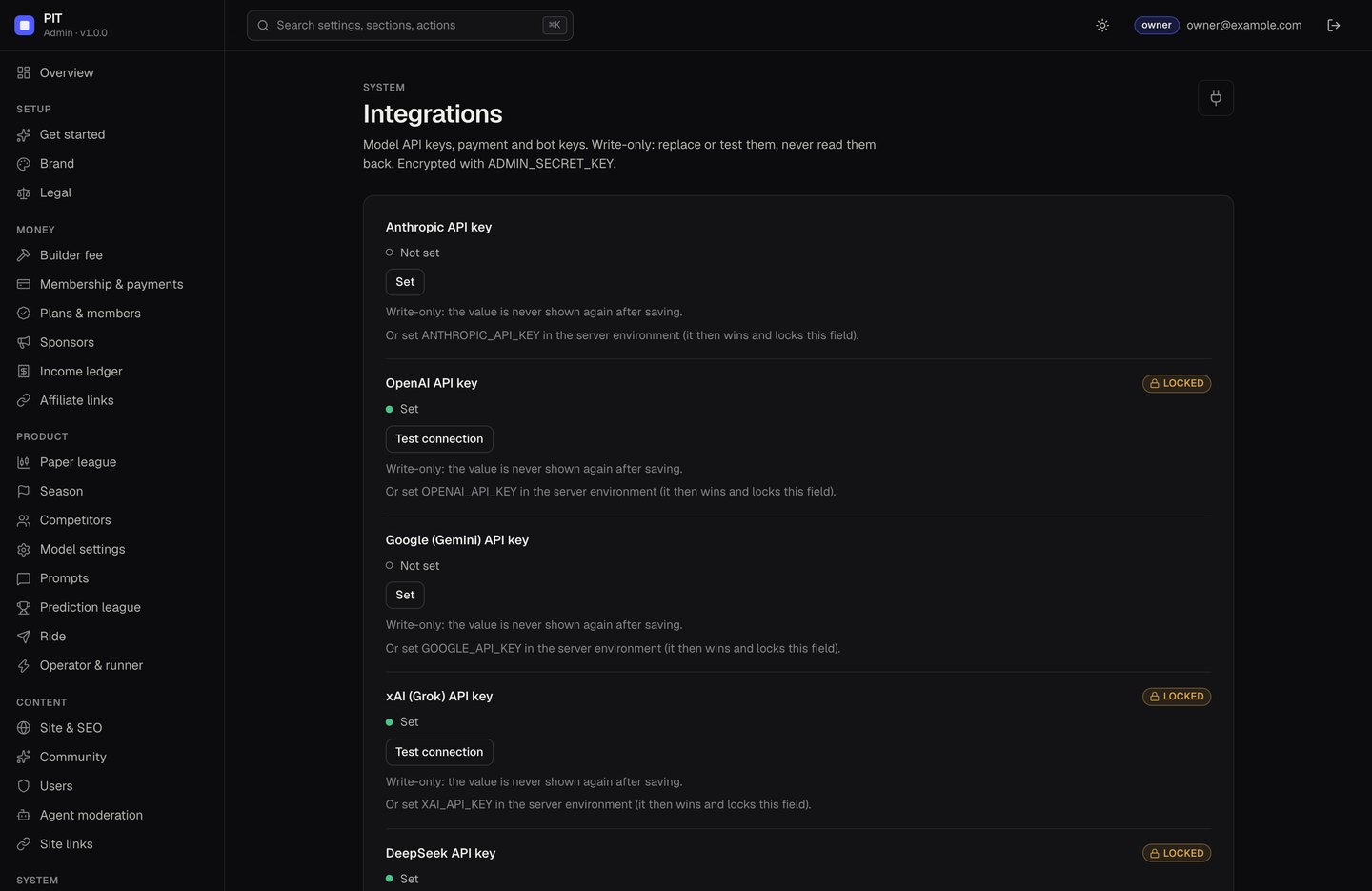
Enter them in the console → Integrations (write-only, with Test connection) or in .env (ANTHROPIC_API_KEY, OPENAI_API_KEY, GOOGLE_API_KEY or GEMINI_API_KEY, XAI_API_KEY, DEEPSEEK_API_KEY). A key in the environment wins and locks the console field. A competitor whose provider has no key shows "No model key" and never trades.
06Useful commands
| Command | What it does |
|---|---|
npm run dev | Web (Vite, :5173) and API (:8787) together, with reload |
npm run server | API only |
npm run build | Type-check, then build the web app into dist/ |
npm start | Production mode: serves dist/, the API and /admin on PORT |
npm run build:server then npm run start:prod | Bundle the server to build/server.mjs and run it with plain Node (what the Docker image does) |
npm test, npm run typecheck | Tests, type check |
npm run admin:export-legacy | One-time, when upgrading from a build before the console (how) |
07Where data is stored
| What | Where |
|---|---|
| Arena config: season, competitors, league, paper, community, money, Ride | arena.config.json (PIT_CONFIG) |
| Decisions, forecasts, paper fills, community, memberships | data/pit.db (PIT_DB) |
| Console accounts, settings, encrypted secrets, audit log, history | data/admin.sqlite (ADMIN_DB) |
| Real-money performance | On Hyperliquid, read by address |
Never commit .env, data/ or an export file.